Small apps, native and web. iPhone, Mac, browser.

Orgenda
Org mode agenda & tasks for Emacs people - on iPhone, iPad, and Apple Watch.
Coming soon
Orgenda brings the Emacs org-mode agenda to iPhone, iPad,
and Apple Watch - native, fast, and built around your real
.org files. The same headlines you edit in
Emacs stay readable on the phone, and changes write back
without a separate database.
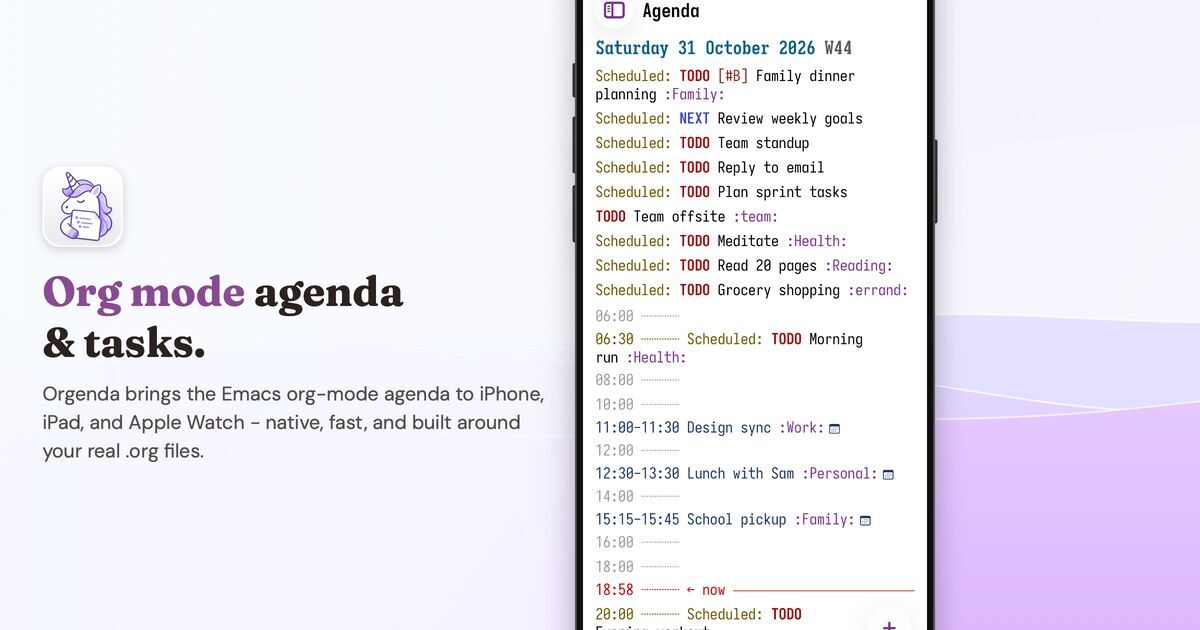
Your agenda, on the go
See scheduled tasks, deadlines, and timed entries in a familiar day or multi-day span. Flip between Today, 3 days, 7 days, and longer views the way you already think about org-agenda.
Quick capture
Add a TODO in one tap, or from the share sheet. Items land
in the .org file you choose, with timestamps
and keywords that stay readable in Emacs.
Mark done and move on
Check off tasks, reschedule, and edit headlines. Changes write back to your files - no separate sync layer between Orgenda and Emacs.
Calendar and Reminders
Apple Calendar events and selected Reminders lists show alongside your org items, so the day stays in one place.
Habits
Track org-habit style consistency with a clear graph - the same rhythm you use on the desktop, on your phone.
Watch and widgets
Glance today’s agenda from Apple Watch and the Home Screen widget. Tap the widget and land on Agenda with the span you last used.
Your files, your way
Works with a phone folder, iCloud Drive, or a folder you
pick in Files. Nested .org files are
discovered recursively. Nothing is locked into
Orgenda’s own format - keep editing in Emacs whenever
you want.
Free to view. Unlock to save
Browsing your agenda - any number of .org
files - is free, and so is checking items off. Open capture
or the editor anytime. A one-time unlock lets you save new
items, edits, reschedules, and deletes. No subscription.
Privacy
No account, no analytics, no ads. Calendar and Reminders access follows Apple’s permission prompts and only feeds your own agenda. Details are in the Privacy Policy.
Requirements
Requires iOS 17 or iPadOS 17 or later on iPhone and iPad; the companion Watch app requires watchOS 10 or later.
Availability
Submitted to the App Store. Free to download; one-time unlock to save.